Border inspection system guidelines
2-4 Entering an individual record
Creating a new record
| Step | Action |
|---|---|
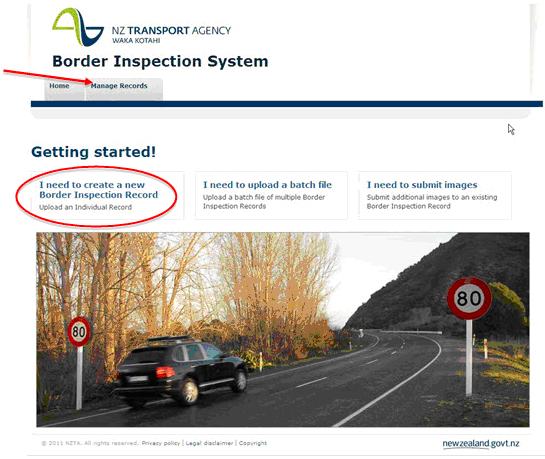
| 1 |
On the homepage, create a new record by using one of the methods below:
|
| 2 |
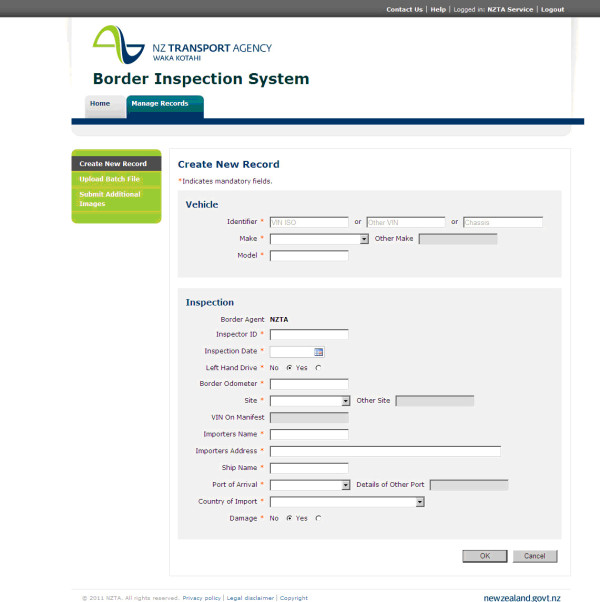
A new window will open and display the following form:
|
| 3 |
Complete the necessary fields. Note: refer to the Completing the form section for additional information about entering details. |
| 4 | When all fields have been completed and all attachments (if necessary) have been added, to save the record, click on OK. |